Picture Upload Instructions
This is a very simple photo gallery, as such it lacks certain tools. You need to prepare your pictures before you upload them. Here is a suggested process:
1. Copy the pictures you want to upload into a new folder on your pc.
2. Rotate any pictures that need to be rotated.
3. Ensure the picture files are less than 2MB each. (You can upload as many pictures as you want, but anything larger than 2MB will not be loaded into the gallery.)
4. Upload the pictures.
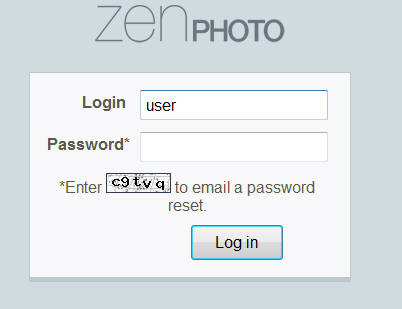
Enter "user" in Login Field
Leave the Password blank
Click Log in button
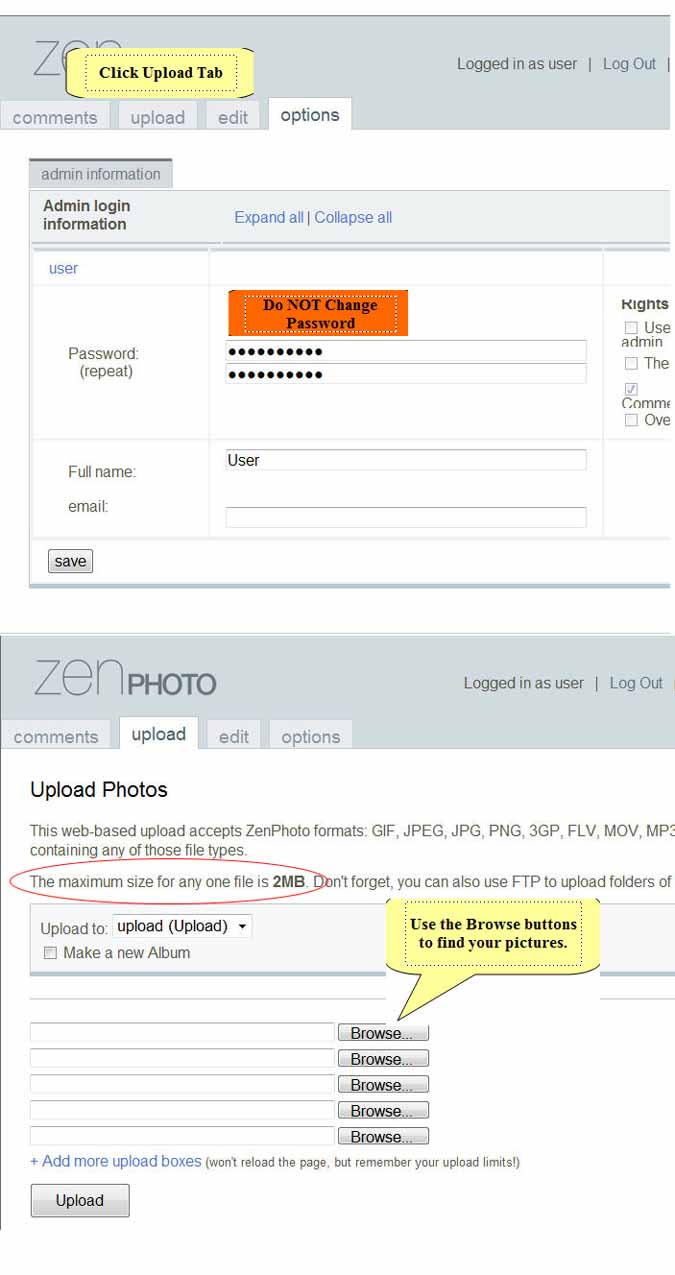
| Upload Directions: | ||
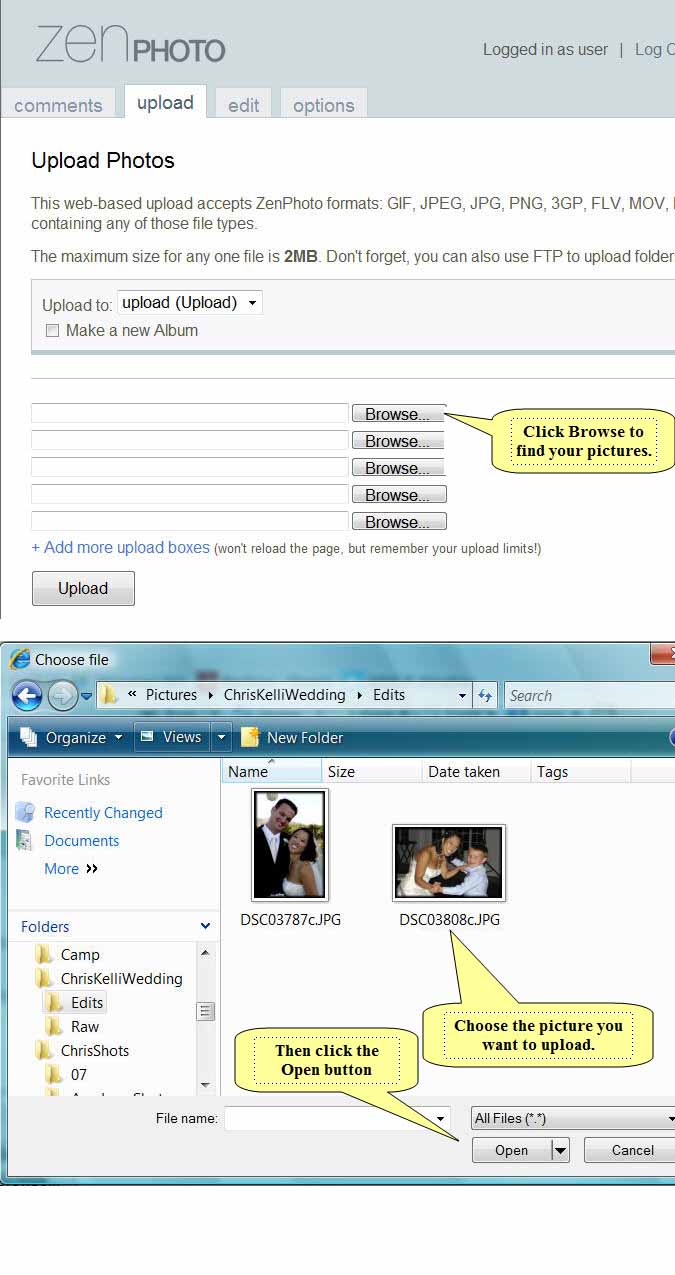
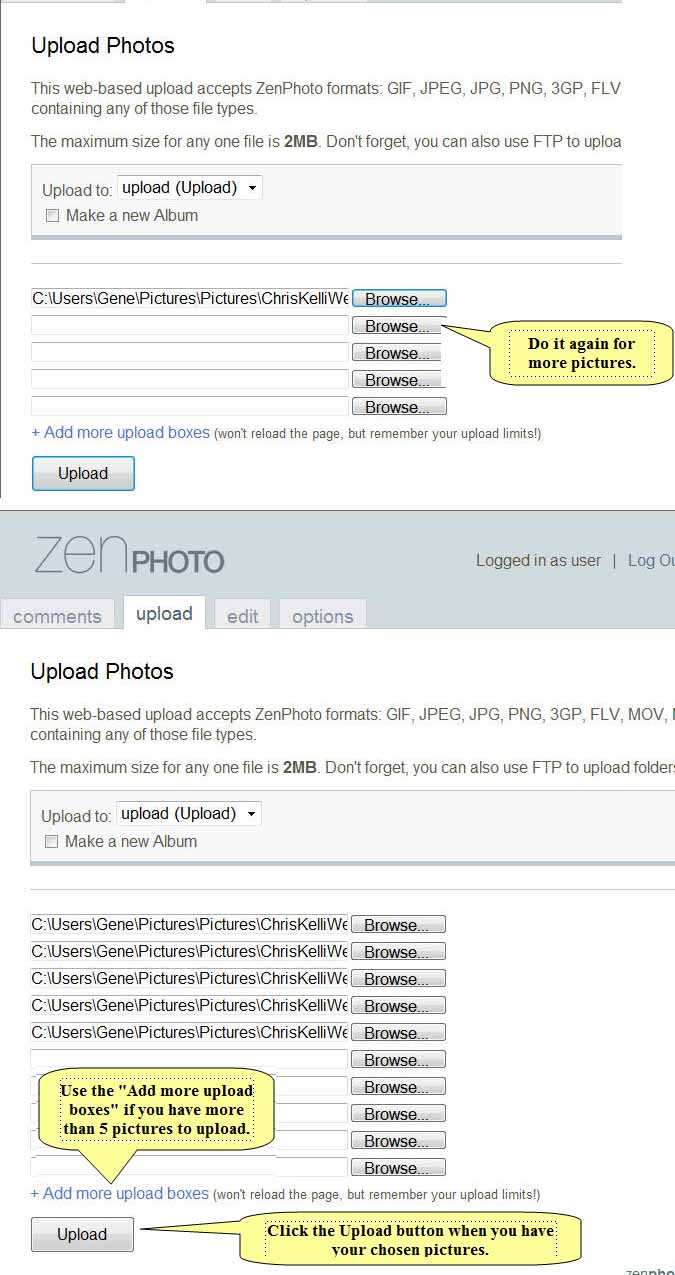
| Use the Browse buttons to locate pictures on your pc. | ||
| The 2MB size limit is true. If your pictures are larger than 2 Meg they will not be loaded into the gallery. You need to resize them before you upload. | ||
| (Suggestion: Resize a copy of the pictures for upload. Retain the originals as they may be better quality than the resized versions.) |
Suggestion:
Upload in batches of 10 at a time.
That's all there is to it!
|
Your pictures will be placed into the Upload Album. Chris or Kelli will pick them up from there. |